zTranslate is a powerful application designed to eliminate language barriers in video content. It translates subtitles from their original language into more than 110 languages, making it ideal for global audiences and language learners. Notable features include side-by-side subtitle comparison, an integrated dictionary for word lookup, and innovative shadowing techniques to support language acquisition.
Key Features of zTranslate: Subtitle Translation
⭐ Extensive Language Support
This application provides subtitles in over 110 languages, enabling users to enjoy videos in their native or preferred language.
⭐ Built-in Language Learning
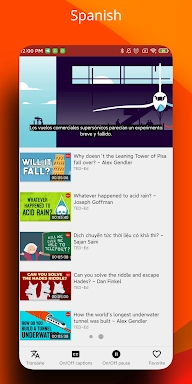
Beyond translation, the app displays both original and translated subtitles simultaneously, serving as an effective tool for foreign language students.
⭐ Instant Dictionary Access
Tap on any unfamiliar word to get instant definitions, helping you expand your vocabulary while watching videos.
⭐ Shadowing Practice
The app incorporates the shadowing technique, a proven method for developing better pronunciation and fluency in a new language.
Frequently Asked Questions:
⭐ Is the app free to use?
Yes, zTranslate is free to download and use without hidden charges or subscription fees.
⭐ Can I use the app offline?
Yes, you can download videos with subtitles for offline access, allowing convenient language practice anywhere.
⭐ How reliable are the translations?
The app employs advanced translation technology to deliver accurate and high-quality subtitles in numerous languages.
How to Use zTranslate:
Download and Install: Obtain zTranslate from your device's app store.
Open the App: Launch the application and choose a video or YouTube content to watch.
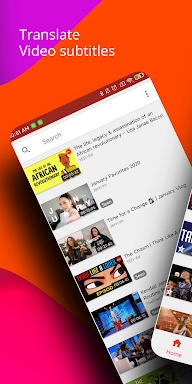
Search for Videos: Utilize the in-app search feature to find videos with available subtitles.
Select Subtitle Language: Pick the original subtitle language and your desired translation language.
Translate Subtitles: The app will process and translate subtitles in real time.
Compare Subtitles: Use the dual display mode to view original and translated subtitles side by side.
Access the Dictionary: Tap any word for immediate definitions or translations.
Practice Shadowing: Improve pronunciation by repeating audio clips—an effective technique for language learners.
Adjust Settings: Personalize subtitle appearance and app preferences to match your needs.
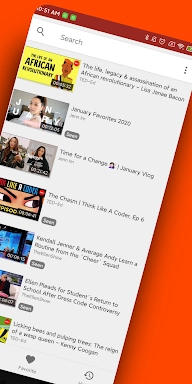
Save Favorites: Bookmark videos to your favorites list for quick retrieval later.
Tags : Lifestyle