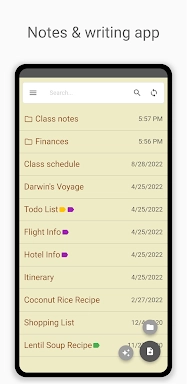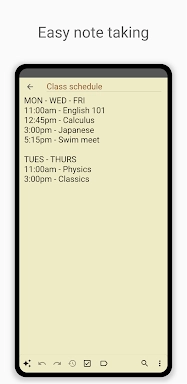
Inkpad Notepad & To-Do List is a simple and intuitive application perfect for jotting down thoughts and managing tasks. It excels with reliable features like autosave to safeguard your work, easy-to-use checklists, and powerful note search. Your notes stay accessible everywhere thanks to seamless cross-device syncing, secure cloud backup, and web browser access. An integrated AI chat assistant boosts your productivity by helping with editing, brainstorming, and learning tasks. Premium features such as PIN Code protection and Note History provide enhanced security and utility.
Key Features of Inkpad Notepad & To-Do List:
⭐ Autosave Notes Automatically
⭐ Checklists & To-Do Lists
⭐ Quick and Efficient Note Search
⭐ Sync Notes Across Android and iOS
⭐ Secure Online Backup and Restore
⭐ AI Chat Assistant for Smart Editing, Brainstorming, and Learning
How to Use This App:
Download and Install: Find and install the app from your device's app store.
Open the App: Launch Inkpad to familiarize yourself with its clean interface.
Create a New Note: Tap the plus icon to start a new note or to-do item.
Use the AI Assistant: Interact with the AI chat for help with editing and idea generation.
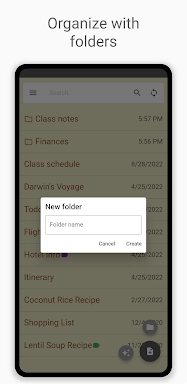
Organize with Checklists: Convert notes into actionable checklists to track progress.
Search Notes: Use the search bar to locate specific notes instantly.
Sync Across Devices: Create an account to keep your notes updated on all your devices.
Secure Backup: Enable online backup to protect your data from loss.
Access from Browser: Visit InkpadNotepad.com to view and edit notes in your web browser.
Upgrade to Premium: Unlock advanced features like PIN Code security and Note History by upgrading.
Tags : Lifestyle