Description
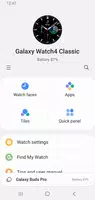
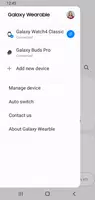
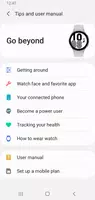
Galaxy Wearable (formerly known as Samsung Gear) is an application designed to connect and manage Samsung wearable devices, including smartwatches and fitness trackers. It enables users to customize watch faces, handle apps, monitor health and fitness metrics, and receive notifications. By offering seamless integration with Samsung smartphones, the app enhances user experience by providing easy access to features and settings for connected wearables.
Features of Galaxy Wearable (Samsung Gear):
- Seamless Connectivity: The app effortlessly pairs your wearable devices with your mobile phone, ensuring a smooth and uninterrupted user experience.
- Convenient Management: Using the Galaxy Wearable (Samsung Gear) app, you can easily monitor and manage features and applications on your wearables directly from your smartphone.
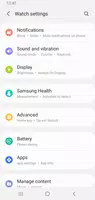
- Customizable Settings: The app allows you to personalize various settings, such as clock preferences and notification types, giving you complete control over your devices.
- Firmware Updates: Keep your wearable devices up to date with the latest firmware updates to ensure optimal performance and functionality.
Tips for Users:
- Stay Connected: Ensure your wearable device remains connected to your mobile phone via Bluetooth to access all features and settings available through the app.
- Regularly Check for Updates: Don't forget to check for firmware updates within the app to ensure your devices are running smoothly and efficiently.
- Customize Your Experience: Leverage the customizable settings in the app to tailor your wearable devices to your preferences, making them uniquely yours.
Conclusion:
The Galaxy Wearable (Samsung Gear) app is essential for Samsung wearable device users, offering seamless connectivity, convenient management, and extensive customization options. By installing the app on your mobile device and pairing it with your wearables, you can access a wide range of features and keep your devices up to date. Maintain a strong connection, check for updates regularly, and utilize the customization options in the Galaxy Wearable app to enhance your wearable experience.
What's New in Version 2.2.59.24061361
Last updated on Jun 19, 2024
- - Fixed the error.
Tags : Tools
Galaxy Wearable (Samsung Gear) Screenshots