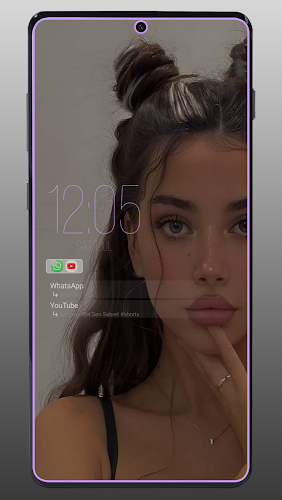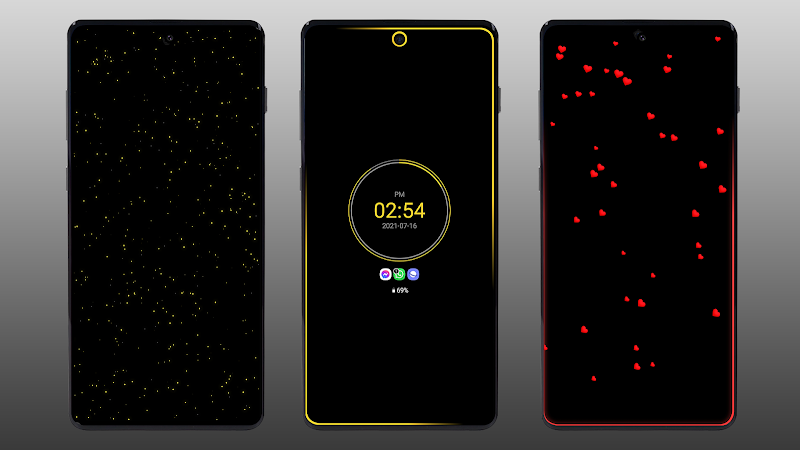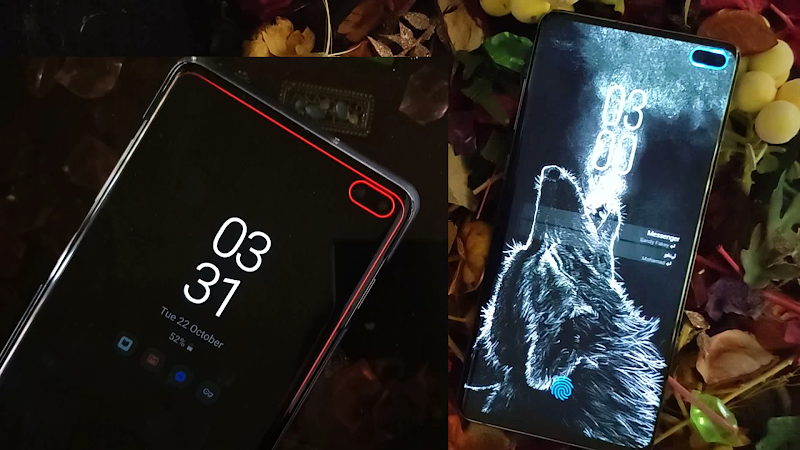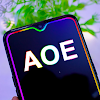
Always On Edge: LED & AOD is a creative app that transforms your smartphone by using its screen edges to showcase dynamic lighting for notifications and alerts. It's ideal for users who want an eye-catching alternative to traditional notification LEDs or a feature-rich Always On Display. Key highlights include:
Customizable AOD: Tailor your always-on screen with diverse clock designs, battery meters, and widgets, keeping essential info visible at all times.
LED Notifications: Mimic LED alerts with unique colors for different apps, so you'll always spot important updates.
Edge Lighting: Add striking visual flares around your screen's border, especially during notifications or while charging.
Battery Friendly: Engineered with power efficiency in mind, so you can enjoy these features without heavy battery consumption.
Simple Setup: With an intuitive interface, you can quickly personalize edge lighting and AOD settings.
To begin, install the app, allow the required permissions, and dive into the settings to adjust AOD and LED notifications to your liking. Elevate your device's look and stay stylishly informed!
Features of Always On Edge : LED & AOD:
❤ Personal LED Notifications: Assign custom colors and styles to alerts for each app and contact.
❤ Dynamic Edge Lighting: Experience unique lighting effects for calls, music, and other events.
❤ Enhanced AOD: Access extra features for the system's Always On Display and build your own custom layout.
❤ Live Wallpapers: Pick from a range of animated backgrounds with customizable colors and motions.
FAQs:
❤ Can I set different LED alerts for specific contacts? Yes, you can assign individual lighting patterns for each contact.
❤ Is the app suitable for hearing-impaired users? Absolutely, it serves as an accessibility aid for deaf or hard-of-hearing individuals.
❤ How many types of animated wallpapers are offered? The app includes multiple categories, such as nature, romantic, and tech-inspired themes.
How to use this app?
1. Download and Install: Get Always On Edge: LED & AOD from your device's app store and install it.
2. Launch the App: Open the app and grant the permissions it needs.
3. Personalize Your AOD: Head to the settings to customize the Always On Display with preferred clock styles, battery indicators, and widgets.
4. Configure LED Alerts: Adjust LED notification settings, selecting distinct colors for different apps.
5. Set Up Edge Lighting: Choose edge lighting effects that activate with notifications or during charging.
6. Fine-Tune Settings: Optimize additional options like notification icons, screen timeout, and display modes to conserve battery.
7. Enjoy: Experience your personalized AOD and LED notifications on your device.
Tags : Wallpaper