Magisk Manager is the essential app for handling root access on your Android device. Once your device is rooted, it gives you the power to oversee and approve root permissions for your apps. For stronger security, it includes biometric verification, letting you use your fingerprint or face to authorize superuser requests.
Key Features of Magisk Manager:
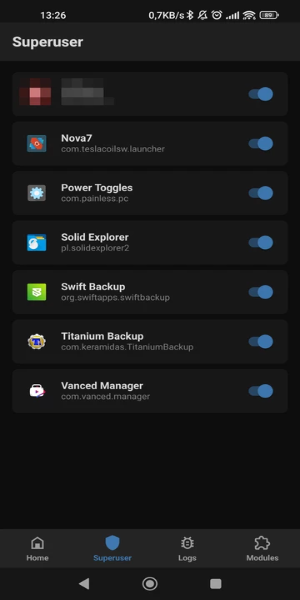
❤ Root Permission Management: Magisk Manager puts you in control of root permissions on your Android. After unlocking your bootloader and flashing the files to achieve root, you can use this app to handle and grant root access to applications that need it.
❤ Enhanced Security Features: Magisk Manager boosts your device's security with biometric authentication. You can set it up so superuser permissions are only granted after a successful fingerprint or facial scan.
❤ Install Root Modules: The app allows you to install various modules that expand root functionality. For instance, you can add the SafetyNet Fix module, which helps hide root status and an unlocked bootloader from specific apps that might otherwise block you.
❤ Boost Efficiency with Zygisk: Within the settings, you can enable Magisk with Zygisk. This helps developers create more efficient modules by preloading resources into the system’s memory, leading to better overall performance.
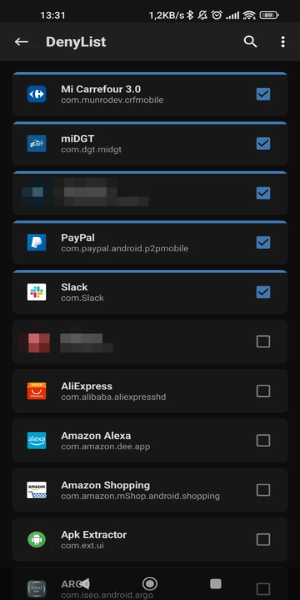
❤ Hide Root from Specific Apps: You can choose to hide root access from individual apps. This is useful for using games, banking apps, or payment services that might limit their features or refuse to run on rooted devices.
Frequently Asked Questions:
❤ What is Magisk Manager?
Magisk Manager is the official tool for managing root access on Android. It lets users approve or deny root permissions for apps and install modules to extend the capabilities of a rooted device.
❤ Can I uninstall it?
Yes, you can uninstall the app if you no longer wish to use root features. However, simply removing Magisk Manager does not unroot your device. You will need to follow specific steps to fully remove root access.
❤ Is it safe to use?
Magisk Manager is generally safe when used correctly and when modules are downloaded from trusted sources. However, rooting your device and installing third-party modules always involves some risk, so it's important to be cautious.
Design and User Experience
Intuitive Root Management
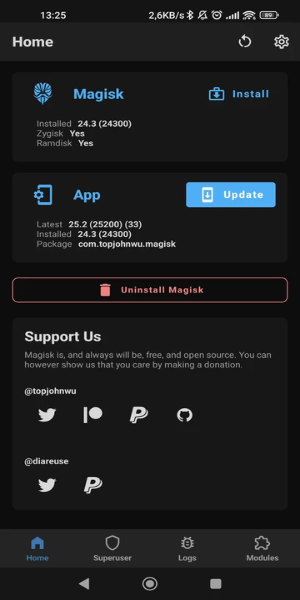
Magisk Manager offers a straightforward interface for handling root permissions. Users can easily grant or deny superuser rights to different apps from a clean, organized dashboard.
Biometric Security Integration
The app strengthens security with biometric authentication support. You can set up fingerprint or facial recognition to control superuser access, providing an additional safeguard.
Simple Setup Process
Magisk Manager walks you through the initial setup, including unlocking the bootloader and flashing required files. The process is clear and accessible, even for newcomers to Android rooting.
Clear Permission Control
All apps that request root access are listed in one central location. This clear view makes it easy to adjust permissions and keep track of app activity at a glance.
Regular Updates and Support
The application is regularly updated for compatibility with the latest Android versions and rooting techniques. Users enjoy continuous support and functional improvements over time.
What's New
This update includes minor bug fixes and improvements. Install or update to the latest version to experience them!
Tags : Tools