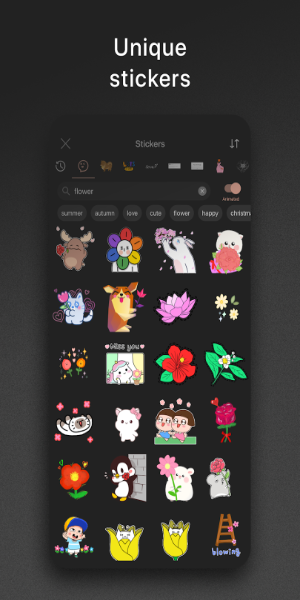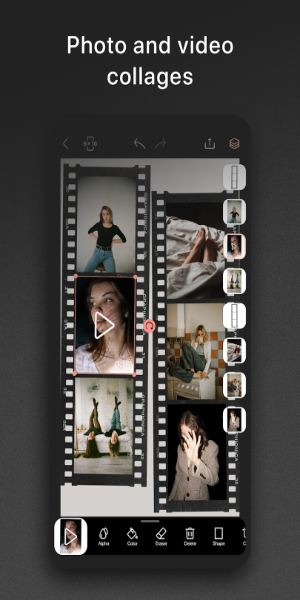
Meet Graphionica: Insta Story Maker, the stylish and free photo editor that makes crafting eye-catching Instagram stories and social media designs a breeze. Design beautiful collages, blend photos and videos, and enhance them with stickers, text, and one-of-a-kind backgrounds. Thanks to tools like background removal and customizable templates, your Instagram feed will capture everyone’s attention.
Graphionica: Insta Story Maker Features
Diverse Fonts and Text Tools:
Graphionica provides a rich selection of fonts and text styles, from ready-made lettering to custom text input with multiple font choices—some of which support Cyrillic script.
Ready-to-Use and Custom Templates:
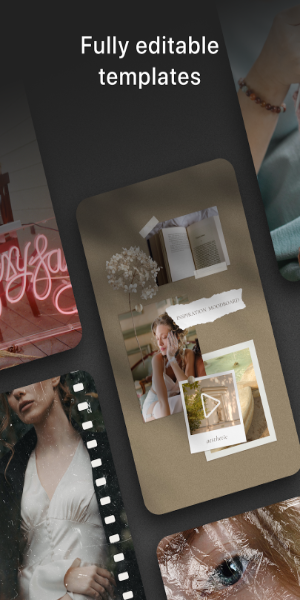
Jumpstart your creativity with pre-designed templates—all fully customizable. Add stickers, photos, and videos, then tweak details to fit your vision. You can also create and save your own templates for a consistent, distinctive look.
High-Resolution Exports:
Graphionica supports all popular story and feed resolutions, delivering crisp, high-quality output with no compromise on image integrity.
Video Editing and Action History:
Beyond photos, Graphionica lets you edit videos—create collages, remove backgrounds, and overlay stickers, text, and captions. Plus, the history feature allows undoing up to 50 steps so you can experiment with confidence.
Tips for Users:
Try Different Fonts and Text Styles:
Play around with various fonts and text effects to give your Instagram stories and social posts a fresh, engaging look.
Start Faster with Templates:
Save time by using ready-made templates and then customize them to reflect your personal or brand style.
Dive Into Video Editing:
Go beyond static images. Use Graphionica’s video tools to produce lively, compelling content for your social channels.
What Does It Do?
Graphionica equips mobile users with an easy yet powerful photo editor for creating quick, gorgeous story posts directly on their phones. Use photos and videos from your gallery along with Graphionica’s built-in templates to craft cool stories instantly. Or shoot new content with the integrated camera and edit on the fly.
Browse a variety of beautiful and unique templates to effortlessly style your stories. Unlock a host of stickers and visual effects to transform the look of your content. Experiment with templates from multiple collections, refine your posts with photo and video tools, adjust pro-level settings, and more.
Requirements
Android users can get started with Graphionica by downloading the free version from 40407.com. This version includes many useful editing tools, though the freemium app does contain ads. To unlock all features, consider making in-app purchases.
Like most Android apps, Graphionica requires certain permissions to function fully. Be sure to allow these when prompted upon first launching the app.
Also, keep your Android device updated—preferably to Android 7.0 or later—to ensure smooth and stable app performance.
What's New
Minor UI and UX improvements.
标签 : 墙纸