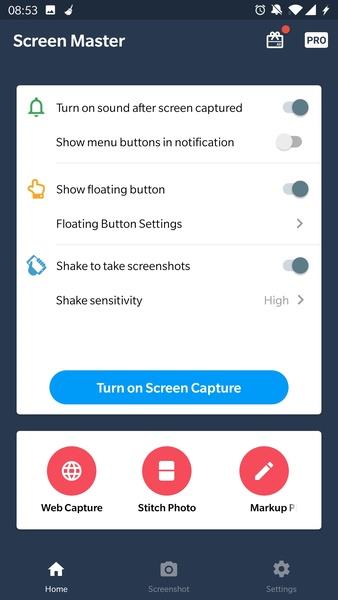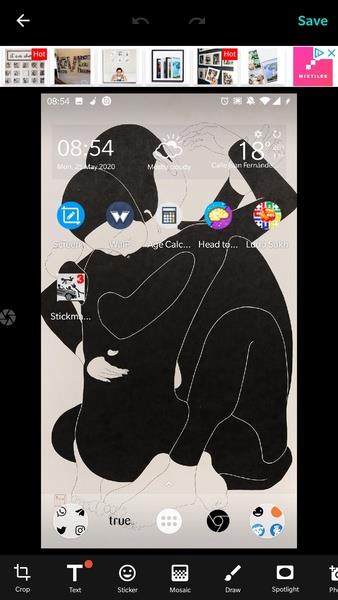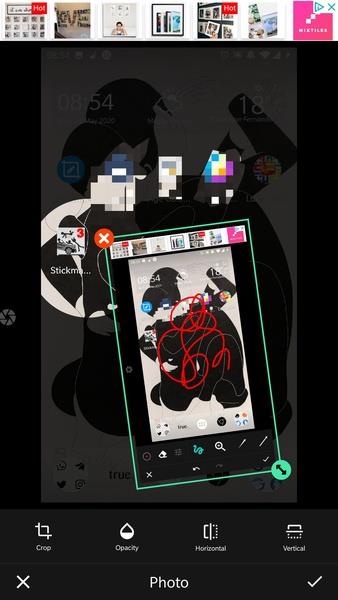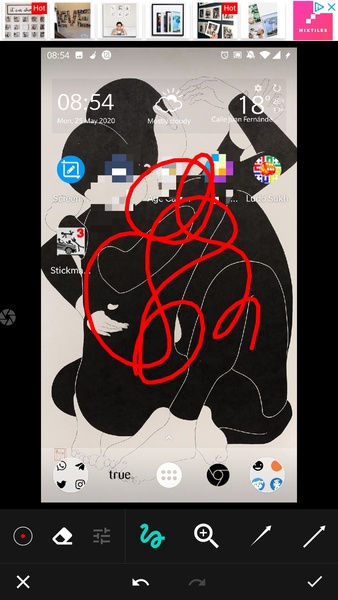
Screen Master is a versatile and powerful mobile app that makes it easy to capture, edit, and annotate screenshots. Whether you're sharing key information, creating tutorials, or saving content for later, it offers a straightforward yet comprehensive solution for all your screen capture tasks. Featuring an intuitive interface, customizable settings, and powerful editing tools, Screen Master is the ideal choice for professionals, students, and everyday users.
Key Features of Screen Master
> Effortless Screenshot Capture: Screen Master removes the need to press multiple hardware buttons. Simply tap a floating dot or shake your device to instantly capture any on-screen content.
> Advanced Image Editing: Go beyond basic screenshots with a full suite of editing tools. Pixelate sensitive info, highlight key details, draw directly on the image, add arrows and stickers, or blend in photos from your gallery.
> Privacy Protection: Easily safeguard privacy by hiding faces or confidential data in your screenshots. This is perfect for sharing images while keeping individuals and sensitive information anonymous.
> Clear Demonstrations: Whether making a tutorial, presentation, or highlighting a feature, Screen Master lets you pinpoint specific areas of an image. This improves communication and ensures your audience follows along perfectly.
Helpful Tips for Users
> Adjust Shake Sensitivity: If using the shake-to-capture feature, fine-tune the sensitivity level to suit your preference. Test different settings to avoid accidental captures while keeping it convenient.
> Explore All Editing Options: Get the most out of Screen Master by trying all the editing tools. Use pixelation, highlights, drawings, stickers, and arrows to make your screenshots more engaging and informative.
> Leverage Your Gallery: Combine screenshots with images from your photo gallery for greater impact. This lets you merge visuals or add context, strengthening the message of your final image.
⭐ Take Screenshots with Ease
Screen Master simplifies capturing screenshots on your phone or tablet. Capture full webpages, individual app screens, or specific screen areas with full control. Get high-quality captures with a single tap—no complicated button presses or extra tools needed.
⭐ Floating Button for Instant Captures
For maximum convenience, Screen Master provides a floating button for instant screenshots from any app or screen. Place the button anywhere for quick access, so you never miss a moment worth saving.
⭐ Capture Entire Pages with Scrolling Screenshots
A standout feature is the ability to take scrolling screenshots, saving complete webpages or long chats in one go. The app automatically stitches scrolls into a single, seamless image for easy viewing and sharing.
⭐ Powerful Editing and Annotation Tools
After capturing a screenshot, use Screen Master’s rich editing toolkit. Easily crop, resize, and rotate images. Add text notes, freehand drawings, and shapes like arrows and boxes to emphasize important sections. Perfect for tutorial notes or presentation markups.
⭐ Blur Out Sensitive Details
Need to share a screenshot while protecting private info? Screen Master lets you blur specific areas to maintain privacy. Ideal for sharing on social media, messaging apps, or at work without exposing personal or confidential data.
▶ What's New in Version 1.8.0.20
Last updated on Sep 10, 2024
Minor bug fixes and improvements. Install or update to the latest version to explore the enhancements!
Tags : Communication