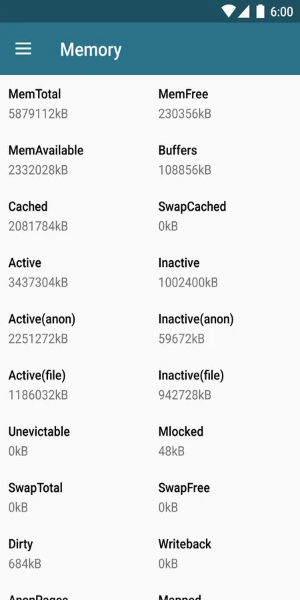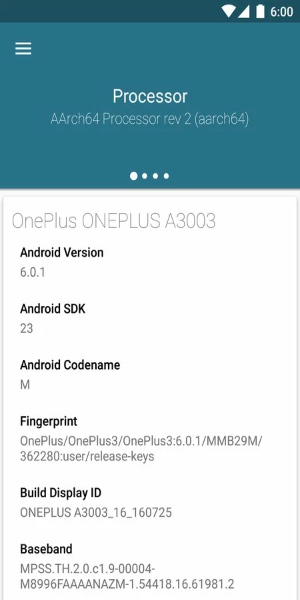
Kernel is a powerful Android application that enables you to monitor and fine‑tune essential device functions, such as CPU frequency and virtual memory. Its standout feature is showing only the settings and options compatible with your specific hardware, ensuring safe adjustments and preventing unintended changes to critical system parameters.
Key Features of Kernel:
CPU Frequency Adjustment: Monitor and adjust your device’s CPU frequency to balance performance and battery life effectively.
Virtual Memory Management: Take control of your device’s virtual memory settings for better resource allocation and system responsiveness.
Device‑Specific Compatibility: The app only displays features supported by your exact device, ensuring a secure and seamless experience.
Tips for Users:
Check Device Compatibility: Before using the app, research which features are available for your specific model to avoid any compatibility issues.
Track Performance Changes: Use Kernel to observe how adjustments to CPU frequency or virtual memory affect performance, helping you find the optimal configuration.
Consult Online Resources: If you’re unsure about any settings, refer to online forums or guides for advice from experienced users.
Design and User Experience
User-Friendly Interface
Kernel offers an intuitive, streamlined interface that makes navigating its functions straightforward. Its simple design allows both beginners and advanced users to manage device settings with ease.
Device-Specific Features
A core strength of Kernel is its ability to show only the settings that work with your device. This tailored approach presents relevant options, improves the user experience, and reduces the chance of mistakes.
Responsive Performance
The app is optimized for fast loading and smooth operation. Adjustments take effect immediately, providing a fluid, frustration‑free experience.
Clear Instructions
Kernel supplies clear guidance and tooltips for every feature, helping users understand the impact of their changes. This empowers you to make informed decisions when optimizing your device.
Customization Options
With a range of adjustable settings, Kernel lets you personalize your experience. Whether fine‑tuning CPU performance or managing memory, the app offers the flexibility to meet your individual needs.
Tags : Tools