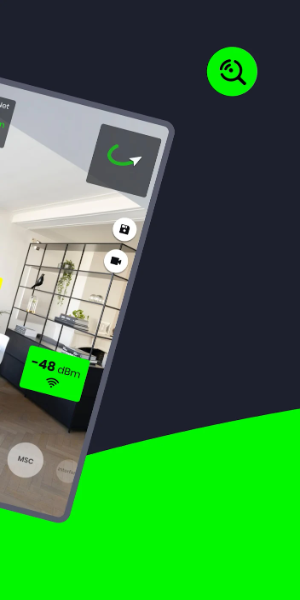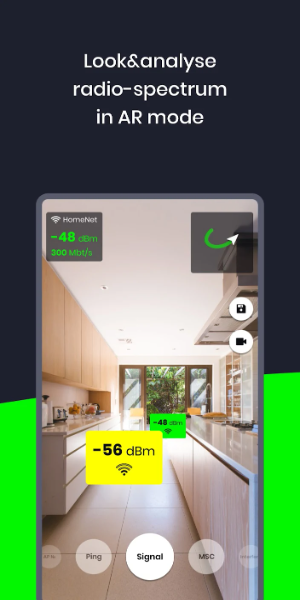
WiFi AR transforms your surroundings by visualizing Wi-Fi and cellular networks in augmented reality. It helps you find the optimal access points by showing live signal strength, connection speeds, and ping times. The app also detects nearby networks that could cause interference, allowing you to optimize performance across all your routers.
Key Features of WiFi AR:
- Speed Test: Instantly view your current connection speed.
- Ping Monitor: Locate areas with the lowest latency for seamless online gaming on Wi-Fi or 5G/LTE.
- Interference Detection: See neighboring networks that might disrupt your signal and switch to a clearer channel in your router settings.
- Best AP Locator: Ensure your device seamlessly switches between multiple routers in your home for the best possible connection.
WiFi AR User Interface
- Camera View: The main screen presents a live feed from your device's rear camera, showing your real-world environment.
- Augmented Overlay: This layer superimposes visualized network data onto the camera view, displaying signal strength bars, network names (SSID), security icons, and directional arrows pointing to nearby access points.
- Network List: An accessible list or grid shows all available Wi-Fi networks with details like name, signal strength, and security type. Tap any network for more information or to connect.
- Navigation Controls: On-screen buttons or gestures let you interact with the AR view, such as zooming, rotating the display, or accessing extra features.
- Settings & Options: Customize the app's behavior, adjust AR display preferences, and access advanced tools for network diagnostics and signal optimization.
- Help & Support: Get assistance through informational pop-ups, tooltips, or a dedicated help section to use the app effectively.
- Signal Visualization: Beyond standard bars, the app uses color-coding and graphics to represent the quality and power of Wi-Fi signals around you.
- Alerts & Notifications: Receive timely alerts for potential issues like weak signals or network congestion.
- 3D Models: Some versions include 3D representations of routers and access points in the AR view to help you identify network hardware visually.
- Connection Status: An indicator shows your device's current Wi-Fi connection state (e.g., connected, disconnected, obtaining IP address).
What's New
Updated Wi-Fi mode display. Added Band, IEEE mode, and maximum Tx/Rx rate information.
Fixed a bug related to video capture on certain devices.
Tags : Communication